
Get to know edoobox in a personal online introduction
A personal online introduction helps you understand how edoobox fits your own use case, rather than simply viewing the product. Together with the edoobox team, you clarify how offers, registrations, payments, communication and internal responsibilities fit your organisation.
Prepare a trial account, a specific example process and prioritised questions before the appointment to get the most benefit. This turns a general product demonstration into a usable setup plan.
When a personal introduction is useful
You are evaluating edoobox and want to compare your intended workflow with the available features.
You are setting up your first production offer and want to avoid configuration errors early.
Several admins handle different tasks and need a shared understanding of the process.
You are planning a complex area such as group registration, invoices, SSO, API, Design Manager or automations.
For individual questions about using the system, the Docs search is often faster. Use the live appointment mainly for decisions, relationships between features and requirements that span several areas.
Book an appointment
Choose the personal introduction and an available appointment.
Describe your organisation type, intended use and most important questions as specifically as possible.
Check the confirmation email for the appointment, access link and technical information.
If no suitable appointment is offered on the booking page, email support@edoobox.com with your objective and suggested dates.
Prepare a trial account with a realistic demonstration case
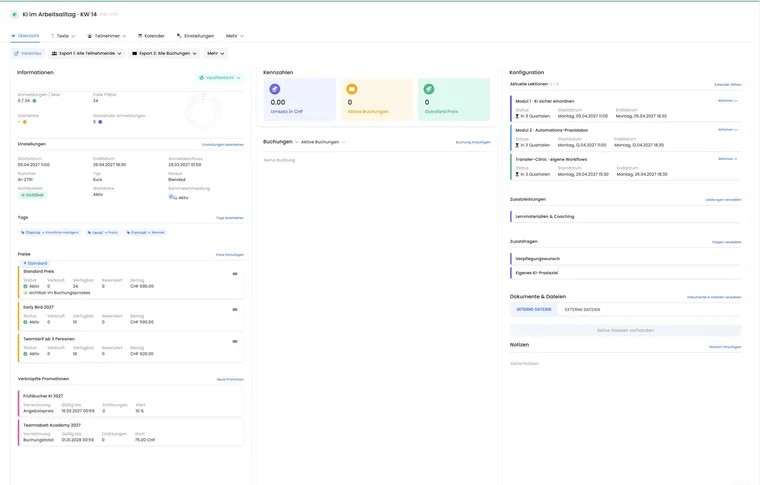
Create a harmless but realistic demonstration case in the trial account. Use fictitious people and no production customer data.
Offer name, category and intended status.
At least one date with a time zone, capacity and venue.
Price categories, VAT and intended payment methods.
Required participant data fields, additional questions and group registration.
Intended confirmation, reminder, invoice and cancellation logic.
Website integration, language, design and any integrations.
Frame questions around decisions rather than menu items
A good question describes the objective, constraints and intended outcome. Instead of “How do emails work?”, a more useful example is: “After a booking paid by invoice, the confirmation and invoice should be sent immediately, a reminder two days before the appointment and a certificate after attendance has been confirmed.”
| Topic | Helpful preparation |
|---|---|
| Offers | Formats, dates, capacities, pricing logic and status changes. |
| Registration | Who books for whom, which data is mandatory and which terms apply? |
| Payment and invoices | Payment methods, currency, tax, billing address, payment reminders and cancellations. |
| Communication | Triggers, recipients, timing, language, templates and attachments. |
| Team and security | Roles, locations, internal offers, SSO, 2FA and approvals. |
| Integration | Website, API, webhooks, Zapier, tracking and the system of record. |
Invite the right people
Invite the people who make decisions or will later operate the process: administration, course organisation, accounting, communications and, if needed, IT or data protection. Appoint someone in advance to document open decisions and next steps.
A large group is only helpful if the objectives remain focused. Separate specialist appointments may be more useful for very different topics.
Test the access link and equipment
The confirmation email specifies the meeting platform currently used and the access link. Open the link beforehand, test the browser or app, speakers and microphone, and check whether your company's IT permits the connection.
Do not share real login credentials, API keys, card information or personal data in the chat or a recording. Only share your screen for the demonstration views needed.
Structure the appointment efficiently
Confirm the objective: Clarify the intended use, schedule and desired outcome in a few sentences.
Show the demonstration case: Open the prepared offer and intended booking process.
Make decisions: Record suitable features, alternatives and limitations for each process step.
Plan a test booking: Define the responsible person, checks and necessary demonstration data.
Assign next steps: Document the task, owner and deadline for each open point.
After the appointment
Add the agreed steps to your project plan and link the appropriate guides. Perform at least one complete test booking, including email, payment, cancellation and export. Only use the process in production once the responsible people have approved the result.
Use cases
Example: make the first course offer ready for production
A small training institute brings an example course with two dates, three price categories and payment by invoice. During the appointment, it clarifies the status, mandatory fields, confirmation email and website integration. Afterwards, one admin performs the test booking while a second person checks the email and invoice.
Example: review a complex company process
A company needs internal offers, SSO, cost centres, group registrations and a monthly handover to accounting. IT, HR and accounting formulate their requirements in advance. The introduction is used to jointly define systems of record, permissions, tags, data fields and integration limitations.
Example: train a new admin team
Following a staff change, course organisation, finance and support attend together. Each role brings a typical case: rescheduling an offer, checking a payment and cancelling a booking. The appointment produces a short internal responsibility matrix with links to the relevant edoobox guides.