
RSS feed and offer scroller
RSS feeds and the offer scroller are older options still present in the edoobox system for incorporating public offers into external websites or information systems. They suit simple lists or rotating notices but do not represent a complete modern booking process.
Distinguish RSS feeds from scrollers
| Variant | Output | Typical purpose |
|---|---|---|
| RSS feed | Structured XML list containing the offer title, public URL, provider and update time | Read by feed readers, portals or custom integrations. |
| Offer scroller | Visual list or rotating display linking to the offer | A compact notice of upcoming offers on an existing website. |
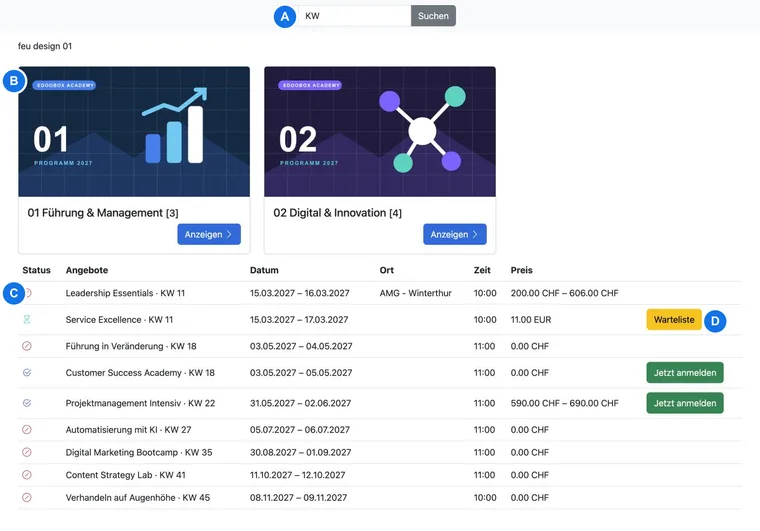
| Share/iFrame | Current edoobox booking interface | Selection and complete booking on your own website. |
Which offers appear in the RSS feed
The current API code publishes only public offers with an approved status. Deleted, archived or internal offers, internal codes and subordinate conference offers are excluded.
The feed is language-dependent. Translated titles and offer URLs are used for supported languages. It has no freely configurable column selection and is not intended as an accounting or participant export. The update interval set in the feed is 720 minutes; external feed applications may therefore retrieve changes with a delay.
Which offers the scroller shows
The existing scroller loads at most ten offers and sorts them by start date in ascending order. It excludes drafts, cancelled and internally marked offers and considers the calculated end of visibility. A past start date is therefore possible while the display period is still running. A closed or released offer may also still appear.
Depending on the data, the display shows available places, price range, currency and a status colour, among other information. The existing selection does not fully replace current public-offer validation. In particular, check archived offers and offers with an internal code before continuing to use an old integration.
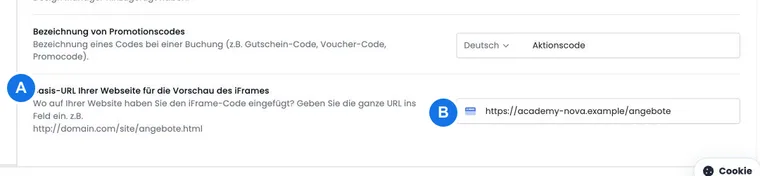
If redirection to your own website is active in the website/iFrame settings, the scroller links there. Otherwise, the link leads to the iFrame view provided by edoobox. Check existing integrations after every change to the account abbreviation or destination page; an invalid account reference can produce an unexpected offer selection.
Check an existing integration
Check that only the intended public offers appear and expired offers disappear.
Open several offer links and check the language, destination page and complete booking route.
Test titles, dates, prices and available places on desktop and smartphone. The legacy scroller is less flexible than the current booking interface.
Recheck the integration after a website relaunch, domain change or change to the iFrame website URL.
This guide describes continued operation of existing RSS or scroller addresses. This workflow has no V2 screen for generating new account-specific RSS addresses. Copy existing addresses from the current website configuration; if their origin is unknown, clarify the correct address with your website manager. For a new integration, follow the Share guide.
Use cases
Example: An existing scroller on an association website
An association displays its next ten public courses in a narrow sidebar. After every website update, it tests two offer links and checks that internal training and completed courses do not appear. At the next redesign, the scroller will be replaced by a responsive Share integration.
Example: RSS for an internal information portal
A portal regularly reads the language-dependent RSS feed and displays the title and link. Since the feed has no customer-specific field selection, the portal does not add prices or capacities based on assumptions. For a later precisely filtered integration, the team plans to use the edoobox API.